

Z7-Claw™ DeepRecon showcase
See what attackers see. Before they do.
DeepRecon is external attack-surface intelligence. It runs thirteen checks in parallel against your public surface and returns a graded report, with the evidence and the fix for every finding.
- Thirteen checks in parallel
- Graded in about five minutes
- Start with a free exposure scan
- Findings walked with a Z7 engineer
- DeepRecon
A first session in four steps
What a user does in DeepRecon, with screenshots from the product's public pages. Sample content on these pages is illustrative and is not a scan of any organization.
- 01
Review what DeepRecon checks
The product page lists the checks before you start: DNS records, TLS and ciphers, open ports, subdomain enumeration, SPF, DKIM and DMARC, cloud storage exposure, subdomain takeover, lookalike domains, DNSSEC, source map exposure, API endpoint discovery, a CISA KEV match and DNS zone transfer.
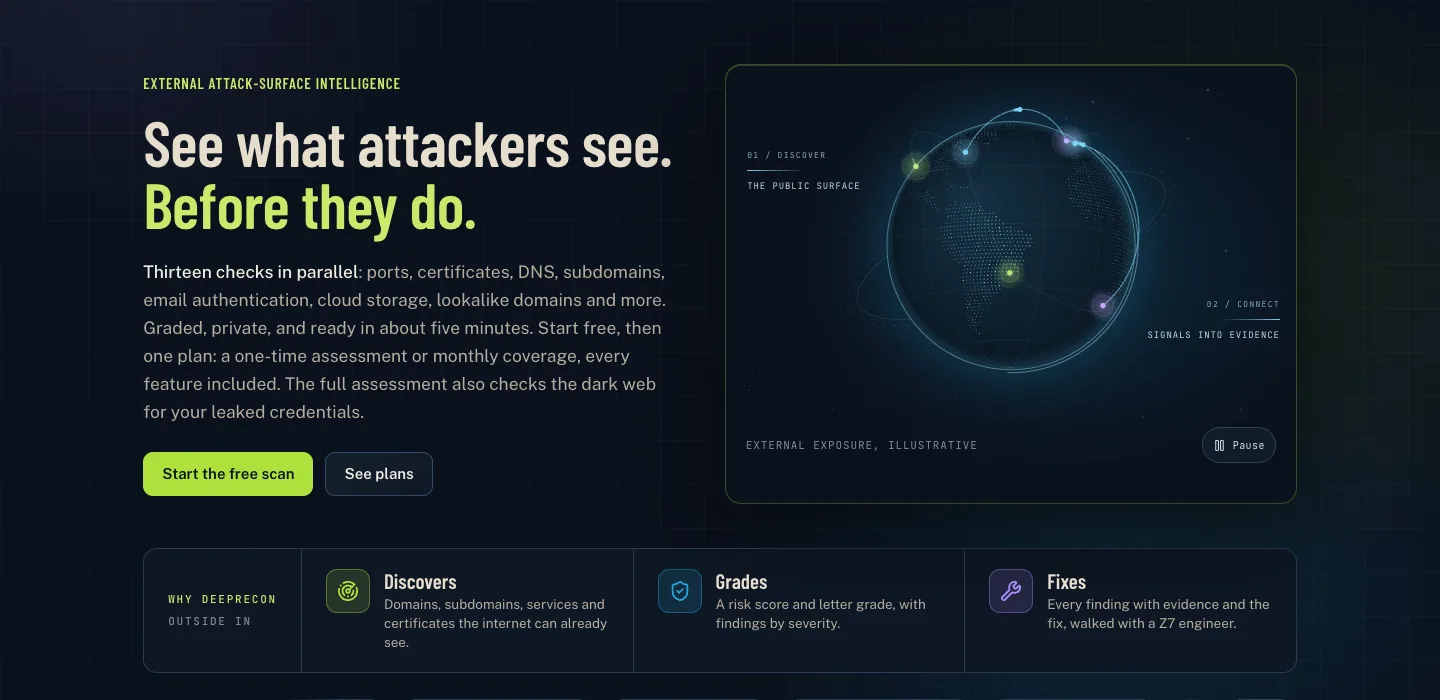
The DeepRecon home page. - 02
Enter your domain and confirm authorization
Enter the domain to scan and the email where results are delivered. Confirm that you are authorized to assess the domain for its owner and accept the terms. A one-time code goes to your email before anything runs, and the free scan needs no card and no signup.
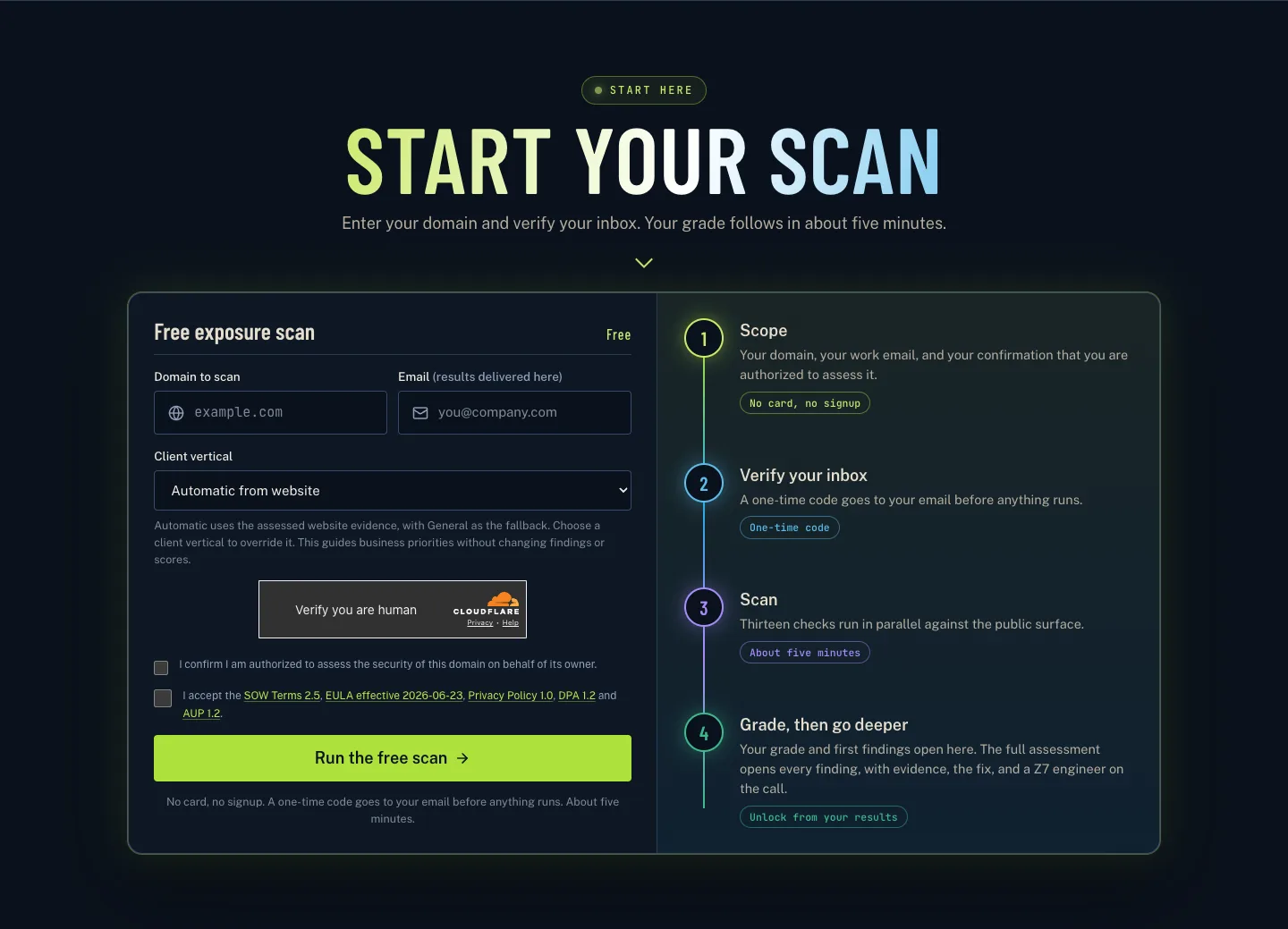
The scan start section. The form is shown empty. - 03
Read your graded report
About five minutes later the free scan returns a risk score and letter grade with findings by severity. Reports show the cover and executive summary, a grade for each area, every finding with its evidence, severity, affected asset and remediation step, an asset inventory and next steps.
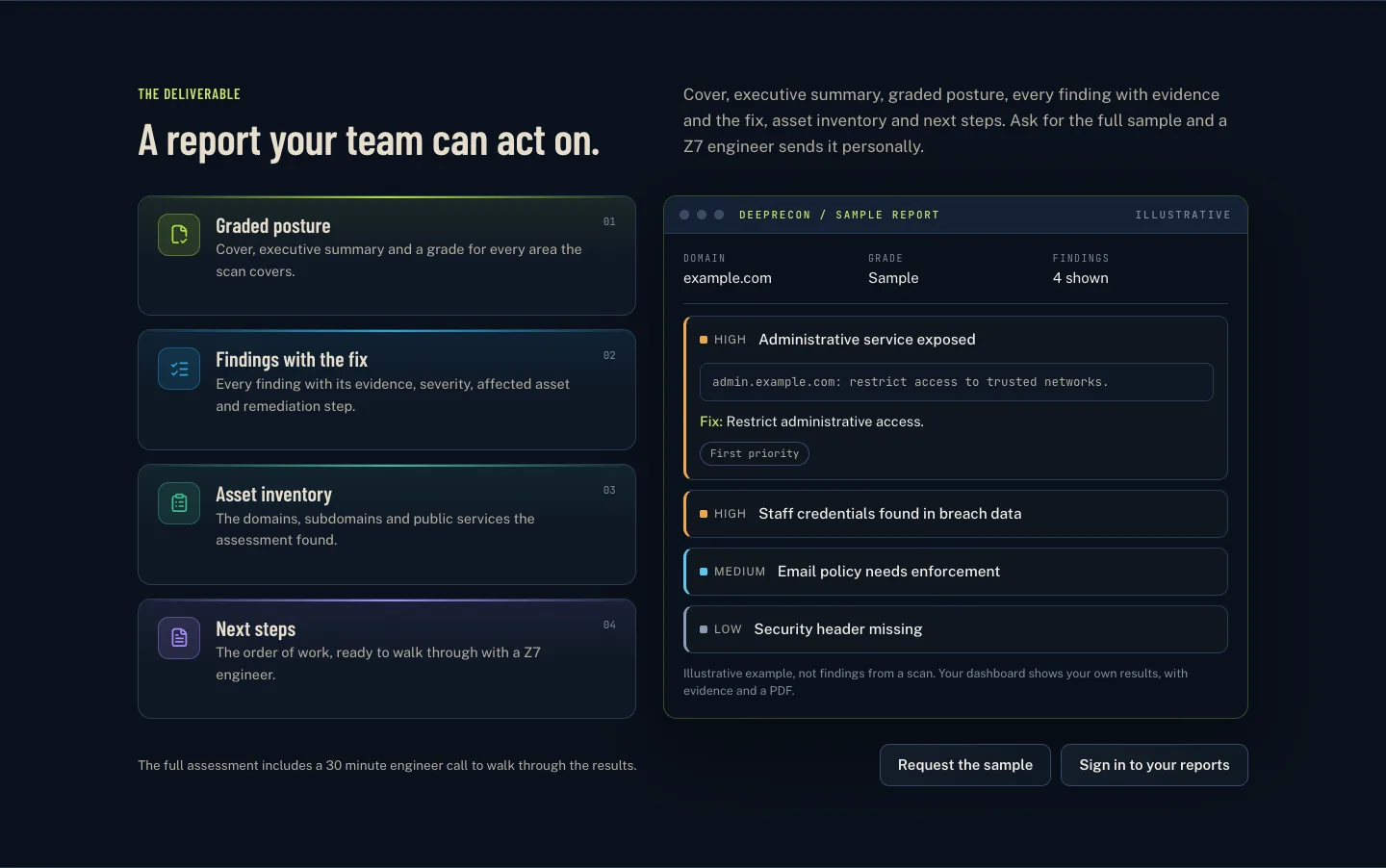
The sample report. It is illustrative and not findings from a scan. - 04
Open every finding with the full assessment
The full assessment opens all findings, reviewed by an analyst, with a dashboard and an identical PDF. It adds a full 65,535 port sweep, technology fingerprints with CVE correlation, and a dark web check across breach databases, paste sites and stealer logs for credentials tied to your domain. A 30 minute call with a Z7 engineer walks the results.
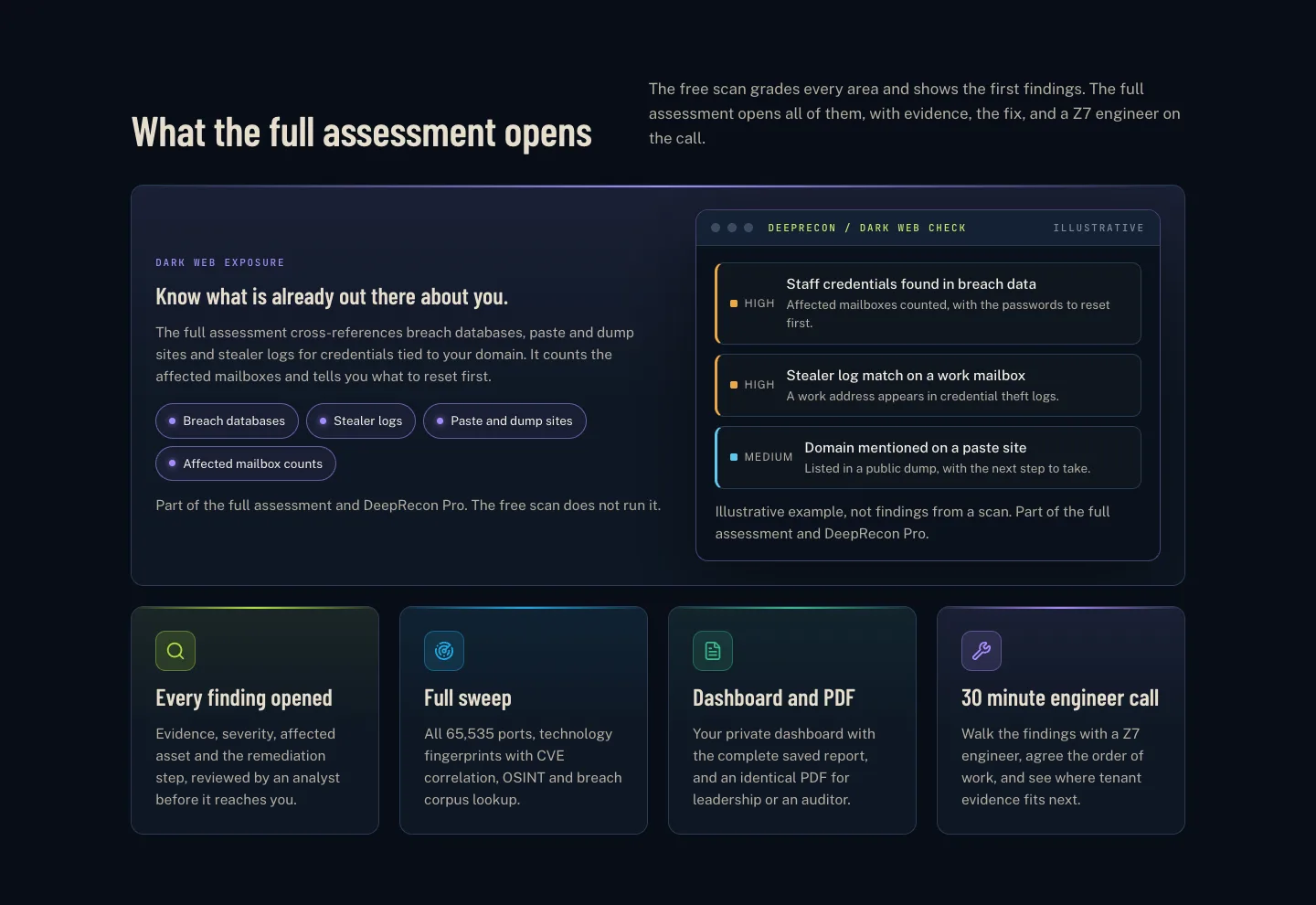
What the full assessment opens. Dark web examples are illustrative.
Who DeepRecon is for
DeepRecon looks at your organization from the outside, so it fits anyone who owns that view.
- Owners and administrators who are authorized to assess a domain and want to know what the internet can already see.
- Teams in education, healthcare, state and local government, banking, legal, nonprofit and other sectors. The client vertical you choose guides business priorities without changing findings or scores.
- IT and security leaders who want each finding to arrive with its evidence and the fix, ordered by severity.
- Organizations that want to keep the outside view current. Monthly coverage adds report history, drift alerts and new CVE checks against CISA KEV.
- Teams that also run Comply, which brings in the inside view of Microsoft 365 and Google Workspace.
What you get
Outputs from the free scan, the full assessment and monthly coverage.
-
Risk score and grade
A letter grade for your public surface, with findings by severity.
-
Findings with the fix
Each finding lists its evidence, severity, affected asset and remediation step.
-
Asset inventory
The domains, subdomains and public services the assessment found.
-
Next steps
The order of work, ready to walk through with a Z7 engineer.
-
Dashboard and PDF
The complete saved report in a private dashboard and an identical PDF, in the full assessment.
-
Dark web check
Breach databases, paste and dump sites and stealer logs checked for your domain, in the full assessment.
-
Engineer call
A 30 minute call with a Z7 engineer to agree the order of work.
-
Monthly coverage
Report history and what changed between scans, plus drift alerts.
How DeepRecon fits Z7 services
DeepRecon is a Z7-Claw product, built and operated by Z7. Every finding comes with the fix, and these are the Z7 services where that work continues.
DeepRecon questions
How is the full assessment different from the free scan?
The free scan is a fast surface-level pass that grades every area and shows your first findings. The full assessment runs the complete attack-surface and OSINT sweep: CVE correlation, credential breach and stealer-log intelligence, full 65,535 port scanning, deep DNS, subdomain takeover validation, IP range scanning, and evidence and remediation for every finding.
Can I scan any domain?
Only a domain you are authorized to assess. The form asks you to confirm that you are authorized on behalf of the owner and to accept the SOW Terms, EULA, Privacy Policy, DPA and AUP before anything runs.
When do I get the report and the engineer call?
The PDF report and the private portal link become available when the scan completes. You choose a time for the engineer call from the available appointment times in the booking calendar.
Who runs the scan?
The DeepRecon automated engine runs the scan, and every finding is validated against known CVE databases, breach corpora and current threat intelligence. A senior Z7 engineer runs the live Microsoft 365 or Google Workspace portion on your consultation call.
Will the scan break anything on my network?
No. Every module runs external, unauthenticated reconnaissance using industry-standard techniques. DeepRecon identifies vulnerabilities and does not exploit them.
Do I need an account to start?
No. The free scan needs no card and no signup. A one-time code goes to your email before anything runs.
See your outside view
Open DeepRecon to run the free exposure scan, or book a demo and a Z7 engineer will walk you through a report.