

Z7-Claw™ Comply showcase
Most breaches start with a setting. Find yours first.
Comply reads your Microsoft 365, Google Workspace and Azure configuration the way an attacker would. Every gap it finds comes with the evidence, the fix and the framework it maps to: SOC 2, HIPAA, CMMC, CIS, FERPA and GLBA.
- Microsoft 365, Google Workspace and Azure
- Read-only consent
- Six frameworks mapped
- 60 minute engineer session
- Comply
A readiness audit in four steps
What a user does in Comply, with screenshots from the product's public pages. The sample report is illustrative and is not an assessment of any organization.
- 01
See what Comply reads
The product page names the areas the sweep covers: MFA and Conditional Access, admin roles and privileged access, authentication methods, app consent and OAuth apps, Secure Score, devices, Exchange protection and anti-phishing, SharePoint and OneDrive sharing, Defender posture, Google users, roles and devices, Azure subscriptions and policy, and Warden AI identity.
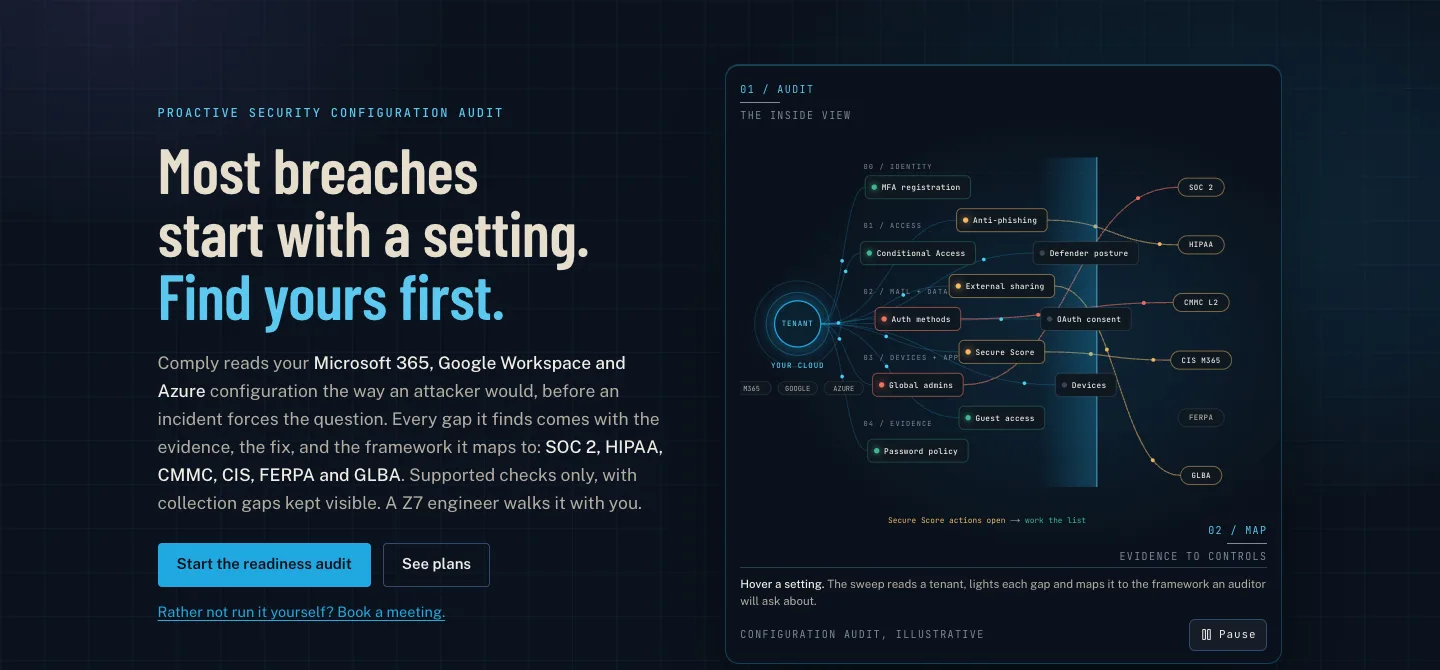
The Comply home page. - 02
Set your scope
Choose a framework (CIS M365 7.0.0 supported subset, SOC 2, HIPAA, CMMC L2, FERPA or Higher-Ed and GLBA, and you can switch later), then enter your work email and primary tenant domain, confirm that you are authorized for every listed target and acknowledge the required terms. A Z7 engineer can run this with you instead if you book a meeting.
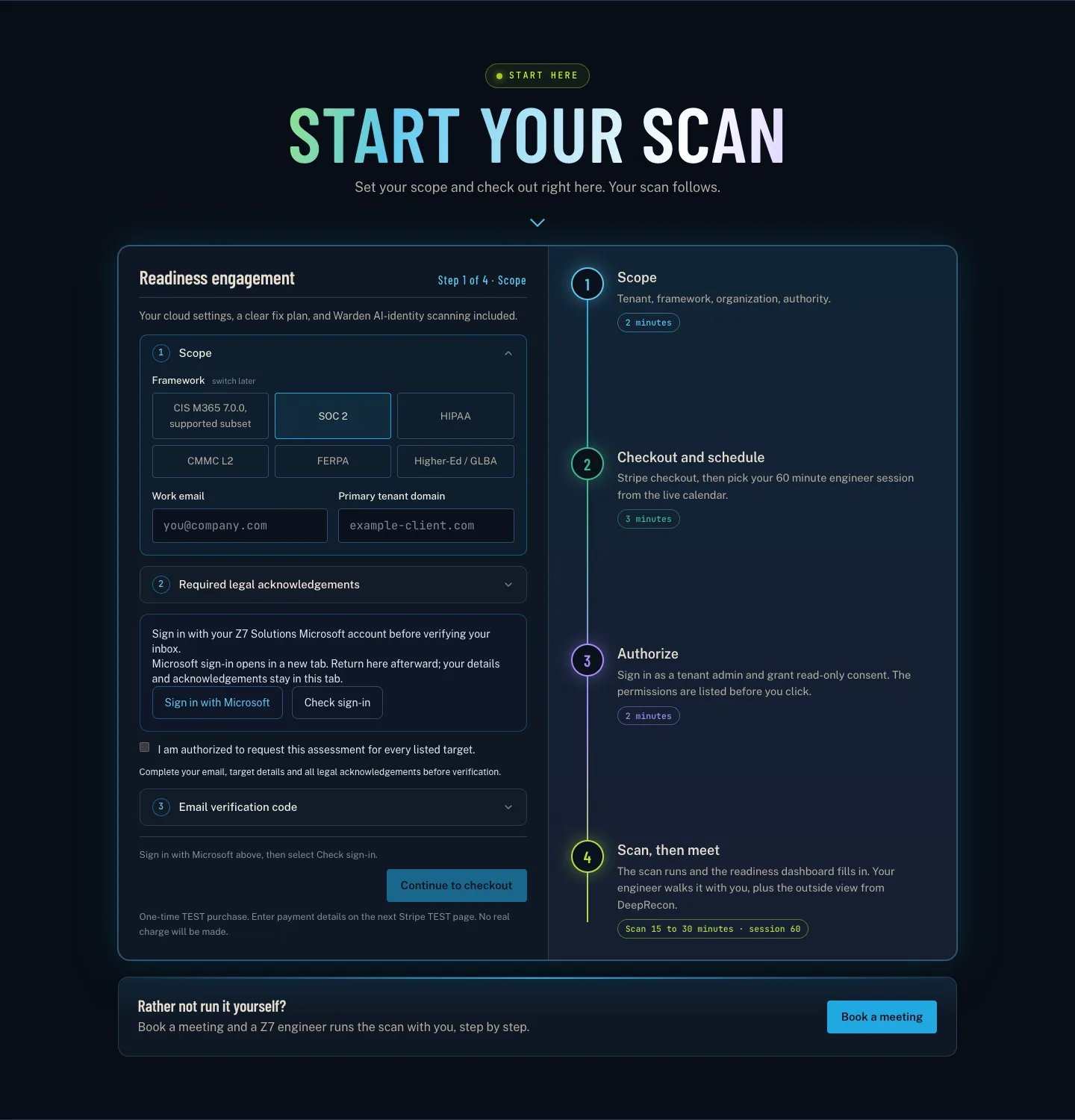
The scan start section. The form is shown empty. - 03
Authorize read-only access
Sign in as a tenant administrator and grant read-only consent. The permissions are listed before you click. This step happens inside your own tenant, so it is described here without a screenshot.
- 04
Review the readiness report
The scan takes 15 to 30 minutes and the readiness dashboard fills in. Review the interactive report, add reviewer commentary and download a PDF. Your engineer walks the results with you in a 60 minute session, together with the outside view from DeepRecon.
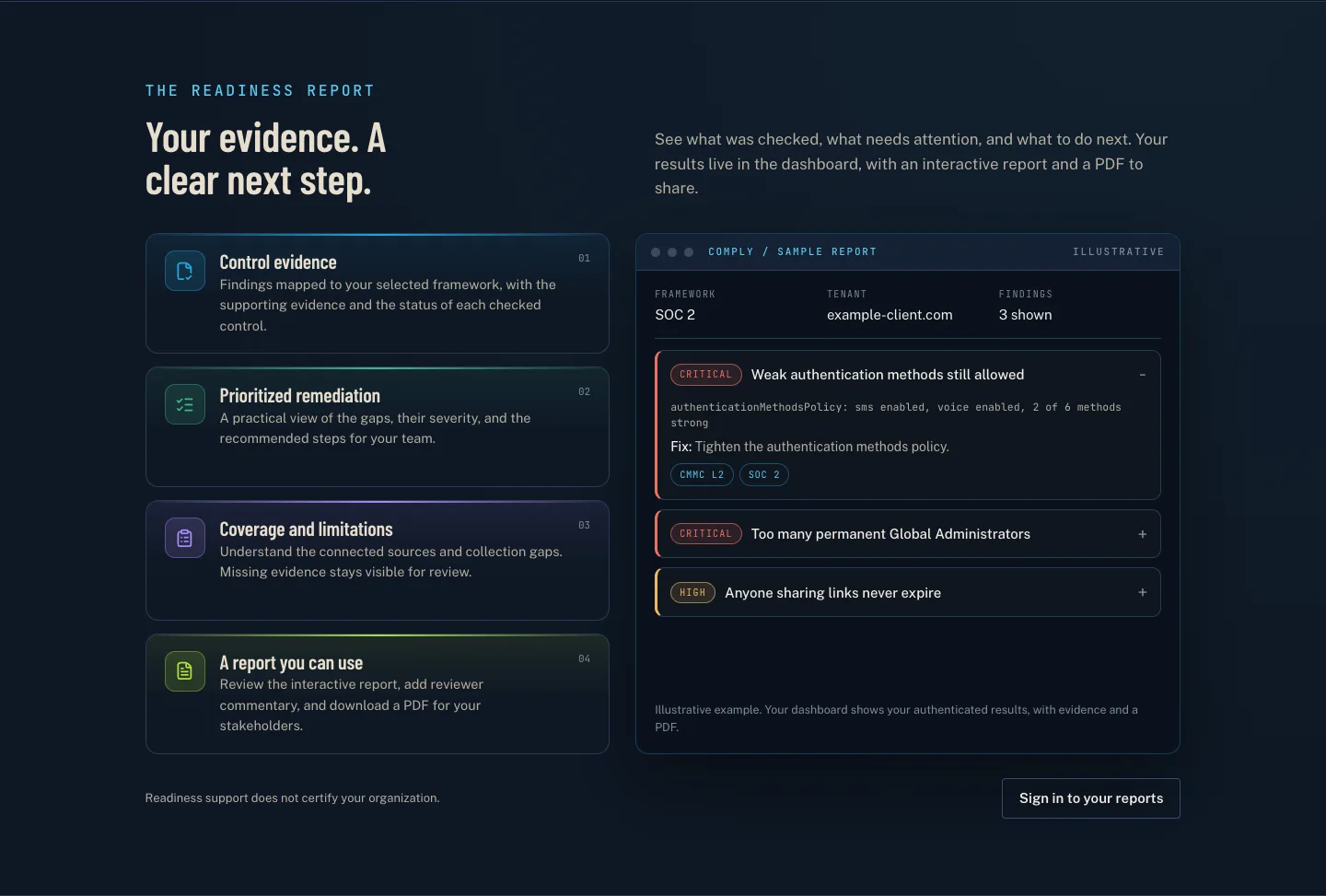
The sample report. It is illustrative and not an assessment of any organization.
Mapped to the frameworks your auditor, insurer and customers ask about
Every supported finding carries the framework it affects and the evidence that proves it. Unsupported or manual controls stay visible for review, never hidden behind a score.
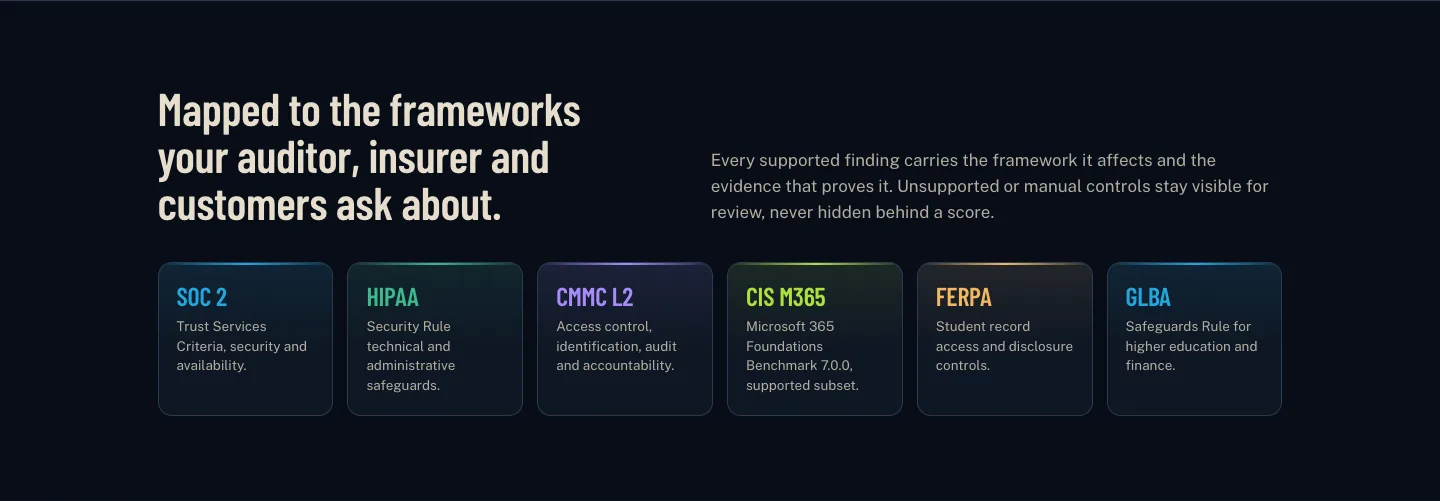
Who Comply is for
Comply is for teams that run their business in Microsoft 365, Google Workspace or Azure and need to show how those tenants are configured.
- IT leaders who want to find configuration gaps before an incident or an audit forces the question.
- Teams preparing readiness evidence for SOC 2, HIPAA, CMMC Level 2, CIS Microsoft 365, FERPA or GLBA for higher education and finance.
- Organizations that answer to an auditor, insurer or customers and need the evidence behind each control.
- Tenant administrators who can grant read-only consent for the scan.
- Teams that would rather have a Z7 engineer run the scan with them, step by step.
What you get
What the readiness audit produces.
-
Control evidence
Findings mapped to your selected framework, with the supporting evidence and the status of each checked control.
-
Prioritized remediation
The gaps, their severity and the recommended steps for your team.
-
Coverage and limitations
The connected sources and collection gaps. Missing evidence stays visible for review.
-
Interactive report and PDF
Review the report, add reviewer commentary and download a PDF for stakeholders.
-
Readiness dashboard
Your results in one place, filled in when the scan completes.
-
Engineer session
A 60 minute session where your Z7 engineer walks the results with you.
How Comply fits Z7 services
Comply is a Z7-Claw product, built and operated by Z7. It supports compliance readiness and does not certify an organization. These are the Z7 pages where the work continues.
Comply questions
What does Comply check?
Comply covers MFA and Conditional Access, admin roles and privileged access, the authentication methods policy, app consent and OAuth apps, Secure Score, devices, Exchange protection and anti-phishing, SharePoint and OneDrive sharing, Defender posture, Google users, roles and devices, Azure subscriptions and policy, storage, network security groups and Key Vault, and Warden AI identity. Supported checks only, with collection gaps kept visible.
Which frameworks does it map to?
SOC 2, HIPAA, CMMC Level 2, CIS Microsoft 365 7.0.0 (a supported subset), FERPA, and GLBA for higher education and finance. You pick a framework when you set your scope and can switch later.
Does Comply make us compliant?
No. Comply provides compliance readiness support and does not certify an organization. Z7 Solutions LLC is not a C3PAO, QPA or CPA firm, and certification decisions remain with your accrediting organization.
What access does Comply need?
Read-only access. You sign in as a tenant administrator and grant read-only consent, and the permissions are listed before you click.
How long does it take?
Scoping takes a few minutes. After you authorize, the scan runs for 15 to 30 minutes and the readiness dashboard fills in. The engineer session is 60 minutes.
Can a Z7 engineer run it with me?
Yes. Book a meeting and a Z7 engineer runs the scan with you, step by step.
Find your settings first
Open Comply to start a readiness audit, or book a working session and walk through your framework priorities with the Z7 team.