
Z7-Guard™ Compass showcase
Every student's record, plan and next step. One private workspace.
Compass brings rosters, assessments and documents into one student record and drafts IEP-style, behavior, transition and goal plans from that record. Your team stays in charge of every approval, and student data stays off public AI providers by design.
- For K-12 and ESE teams
- Staff approve every plan
- Private model for student data
- Demo on a fictional school
- Compass
From the data you have to an approved plan
What staff do in Compass, with screenshots from the product's public page. Every example uses fictional data, and Compass drafts while people decide.
- 01
Bring in what the school already has
Load rosters and caseloads, assessments such as NWEA MAP and KTEA-3 or enter scores by hand, and drop in evaluations, reports and notes. Bad roster rows are refused, not guessed.
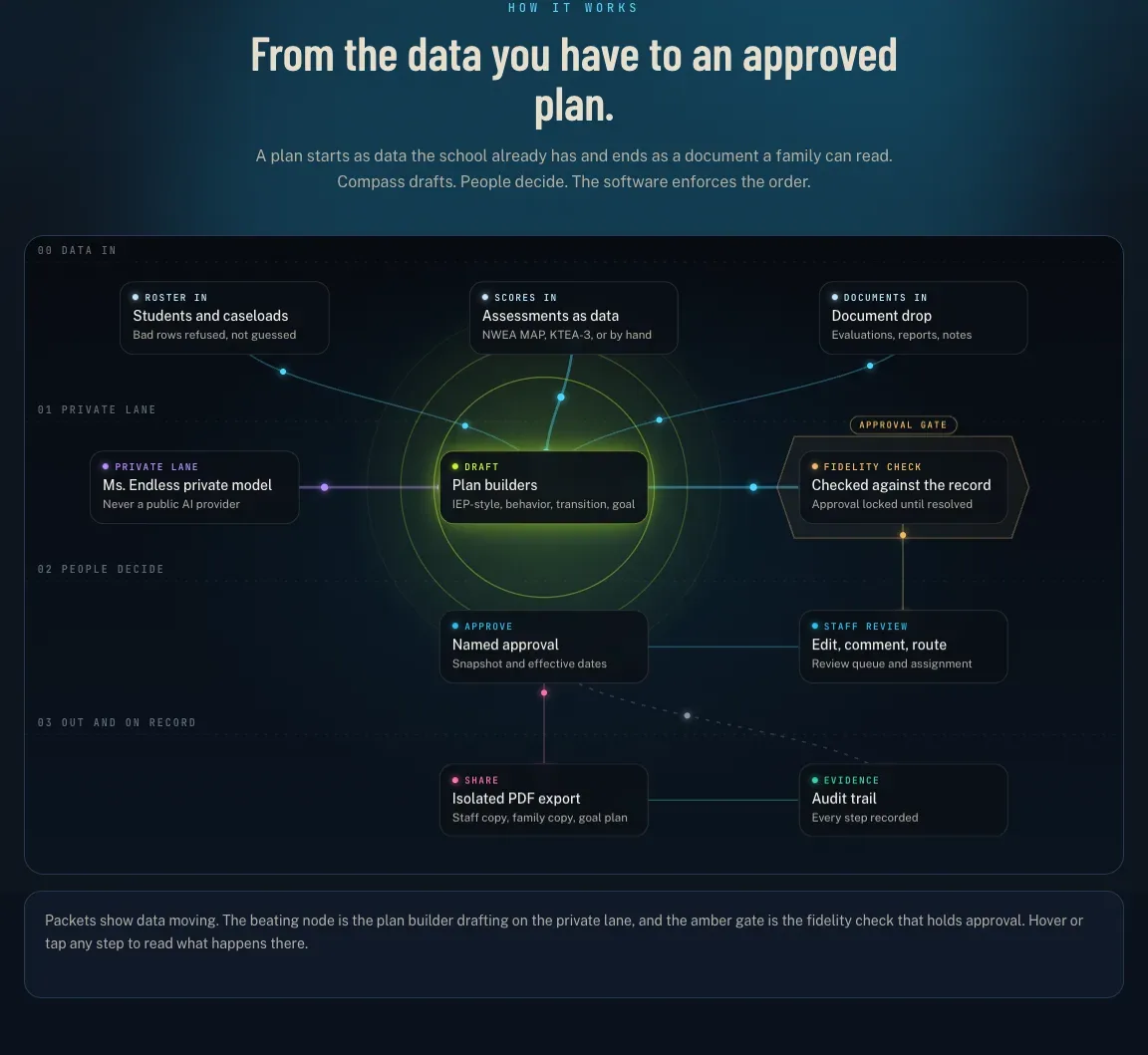
How a plan moves from data in to approved output. - 02
Work from one connected record
Staff reports, supports and services, and a student preview sit on the same record. Every view is scoped to the role, from the team's working view to the student's own next step. Build cohort reports and download XLSX workbooks for the team.
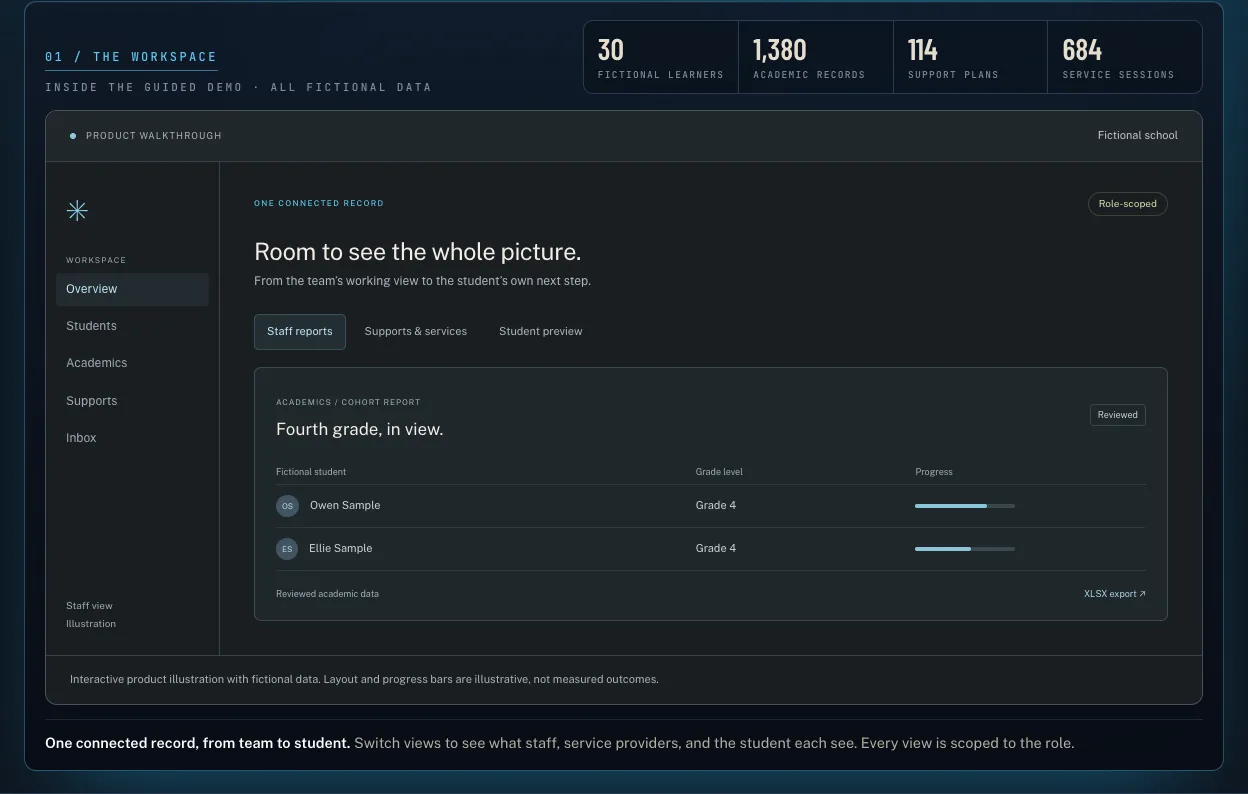
The workspace with fictional data. - 03
Draft from the record, then check it
Plan builders draft IEP-style school plans, behavior, transition and goal plans, and evaluation summaries from the student's own record. A fidelity check compares the draft to the record, and approval stays locked until the differences are resolved.
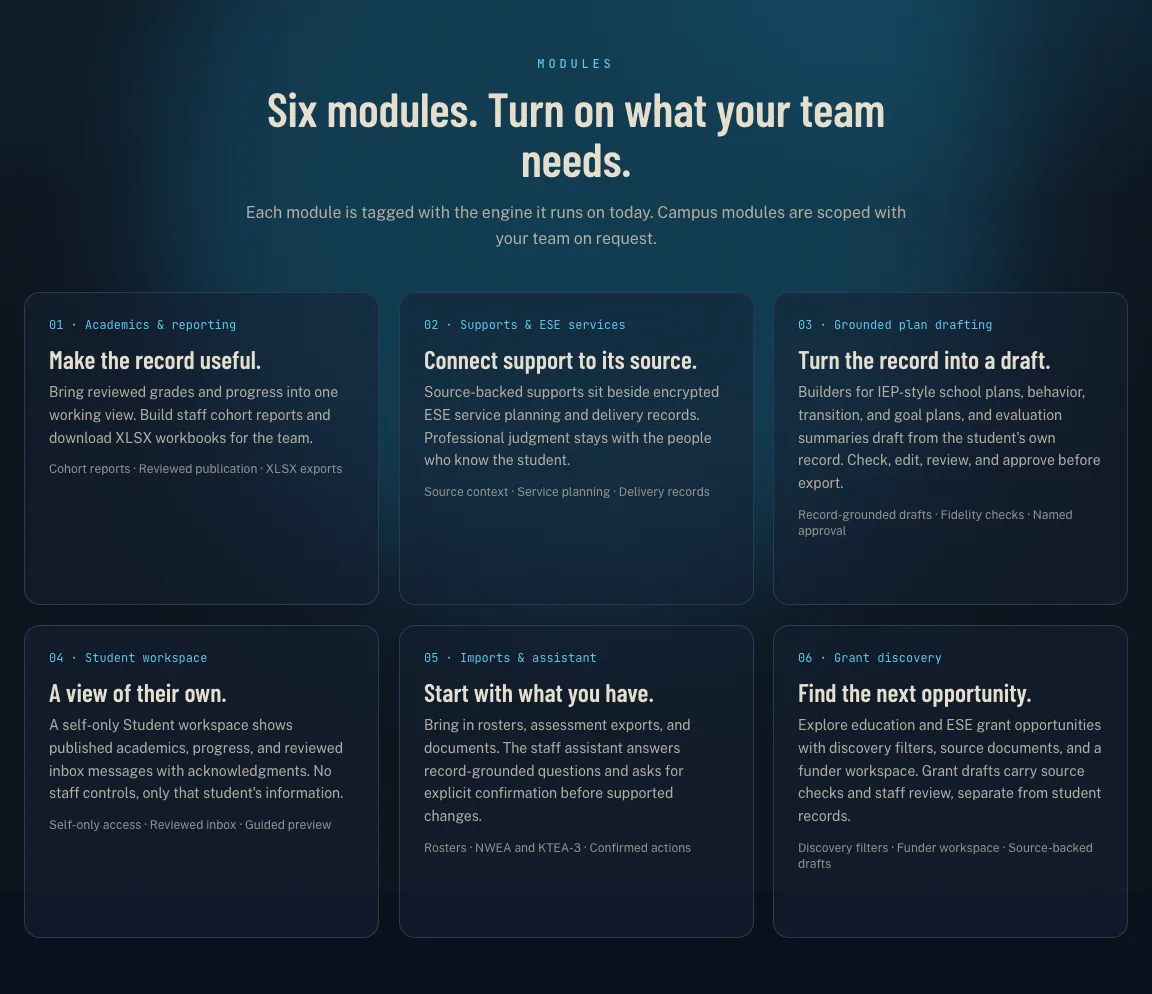
The six Compass modules. - 04
Review, approve and share
Staff edit, comment and route the draft through the review queue, then give a named approval with a snapshot and effective dates. Shareable output is an isolated PDF export: a staff copy, a family copy or a goal plan. Every step is recorded in the audit trail.
How student data stays private
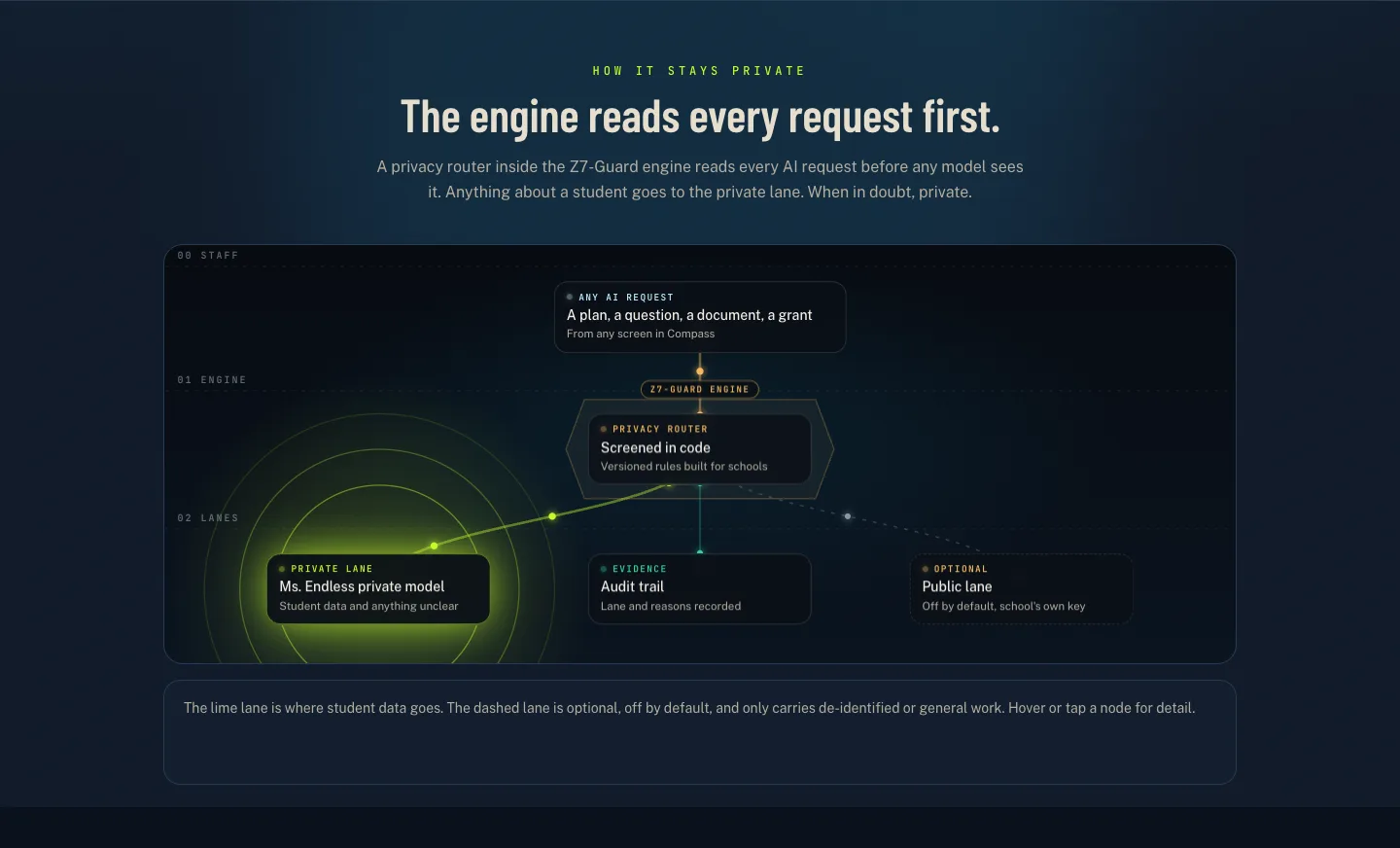
A privacy router inside the Z7-Guard engine reads every AI request before any model sees it. Anything about a student goes to the private lane, and when in doubt the request stays private. A public lane is optional, off by default and limited to de-identified or general work.
Try a workflow
From scattered information
to work the team can use.
Choose a workflow to explore the path from selected context to a draft and a staff review. These examples illustrate the experience with synthetic content. They do not connect to a school system.
A clearer picture of the school day
Bring staff observations, behavior incident reports and classroom context into one student workspace.
Illustrative content only. No real student records are loaded or submitted.
Observation summary
Context
Transitions between activities were documented across classroom observations.
Pattern to review
Compare timing, setting and the supports present before drawing a conclusion.
Staff next step
Review the source observations and confirm the summary with the classroom team.
Observation is evidence. An AI summary does not establish a diagnosis.
Who Compass is for
Compass runs on a Z7-Guard policy engine built for the sector it serves.
- K-12 districts and ESE programs. All six modules, with role-scoped access for teachers, service providers, administrators and students, and support for the district's data-privacy contracting.
- School leaders who need staff to review and approve every plan before it is shared.
- Teachers and service providers who spend their time on documentation and want drafts built from the student's own record.
- Colleges and universities. Grant discovery, imports with the record-grounded assistant and cohort reporting, with campus scope set with your team on request.
What you get
The outputs and tools a school team works with.
-
Record-grounded drafts
IEP-style school plans, behavior, transition and goal plans, and evaluation summaries drafted from the student's record.
-
Fidelity checks
Drafts are checked against the record, and approval stays locked until resolved.
-
Cohort reports
Staff reports for a grade or group, with XLSX workbooks to download.
-
Reviewed PDF exports
Staff copy, family copy and goal plan exported as isolated PDFs.
-
Audit trail
The lane and the reasons are recorded for every step.
-
Student workspace
A self-only view of published academics, progress and reviewed inbox messages.
-
Grant discovery
Education and ESE grant opportunities with discovery filters and source-backed drafts, kept separate from student records.
-
Imports and assistant
Rosters, assessment exports and documents in, and a staff assistant that asks for confirmation before supported changes.
How Compass fits Z7 services
Compass is the school application on the Z7-Guard private AI foundation. These are the Z7 pages for the services around it.
Compass questions
How do Z7-Guard and Compass fit together?
Z7-Guard is the private AI foundation and policy engine. Compass is its school application for K-12 and exceptional student education (ESE) workflows, combining student context, assessments and reviewed document workflows.
Can the school run without public AI APIs?
Yes. A private-only configuration uses local or private models without a public-model API dependency or per-request public-model API charges. Infrastructure, power, implementation and support still have costs. Optional approved public connections can be configured for appropriate general or de-identified work.
Does Compass make IEP or student decisions?
No. Qualified staff keep responsibility for IEP, eligibility, placement, services, behavior and other student decisions. Generated work is a draft to review against source records. Compass supports professional judgment and does not replace it.
Which school data sources can it use?
Supported imports include roster files, assessment exports such as NWEA MAP and KTEA-3, and documents such as evaluations, reports and notes. Available capabilities vary with configuration, permissions and enabled integrations.
Is the demo real student data?
No. The guided demo and the interactive preview use a fully populated fictional school and fictional data only.
What does Compass not do today?
A student AI concierge, scanned file exchange, and broader referral, consent and meeting workflows are future work and are not part of Compass today. Compass is decision support for educators and is not a clinical or diagnostic device.
Walk through Compass with your workflow in mind
Open Compass to see the guided demo on a fictional school, or book time with Z7 to talk through your team's documentation load, access needs and hosting model.