
Case studyUT-01 · Utilities
Regional water utility modernizes VDI and cuts golden images by 75%
Z7 Solutions™ upgraded Horizon VDI for a regional water utility, moved more than 50 apps to Turbo for about 200 users and sped up full backups 2 to 3 times. Golden images to patch and test fell from about 16 to 4.
At a glance
UT-01 · Utilities
- 75% Fewer golden images to patch and test, from about 16 to 4
- 2 to 3x Approximate full backup speedup after NetWorker and Data Domain tuning
- 50+ Applications delivered through Turbo to about 200 users
- 16 weeks Extra engineering effort absorbed by Z7 at no additional cost
The client
A regional water and wastewater utility authority that operates critical infrastructure for a county-level service area in the Southeastern United States. Its systems support treatment plants, distribution networks, metering, and field operations. The IT environment includes VMware Horizon VDI on dual-site Dell EMC VxRail clusters, Carbon Black endpoint security, Dell EMC NetWorker with Data Domain backups, and a growing set of applications used by engineering, operations, and back office staff. Z7 did project-based work for the utility first, then took it on under a formal managed services agreement.
The challenge
The virtual desktop environment had grown organically to the point where incremental fixes were no longer enough, and the utility had to keep critical water systems online throughout any modernization.
- Horizon 7 across two sitesVMware Horizon was still on version 7 across two sites with Cloud Pod Architecture, and master images and application volumes were inconsistent.
- Slow logins, uneven CADLong login times were becoming a persistent user complaint, and performance was inconsistent, especially for CAD and virtual workstation use cases.
- Image and package sprawlMany separate golden images and application packages were hard to maintain, and application documentation was incomplete or missing, with poorly understood dependencies.
- Backups crowding work hoursDell EMC VxRail, NetWorker, and Data Domain needed a health check and tuning so backup windows and IOPS patterns did not interfere with business hours.
- IT team at capacityThe internal IT team was fully committed to daily operations and had no spare capacity for a full VDI and application modernization.
- Needed a co-managed modelThe utility wanted targeted expertise in a co-managed model, not a complete replacement of its internal staff.
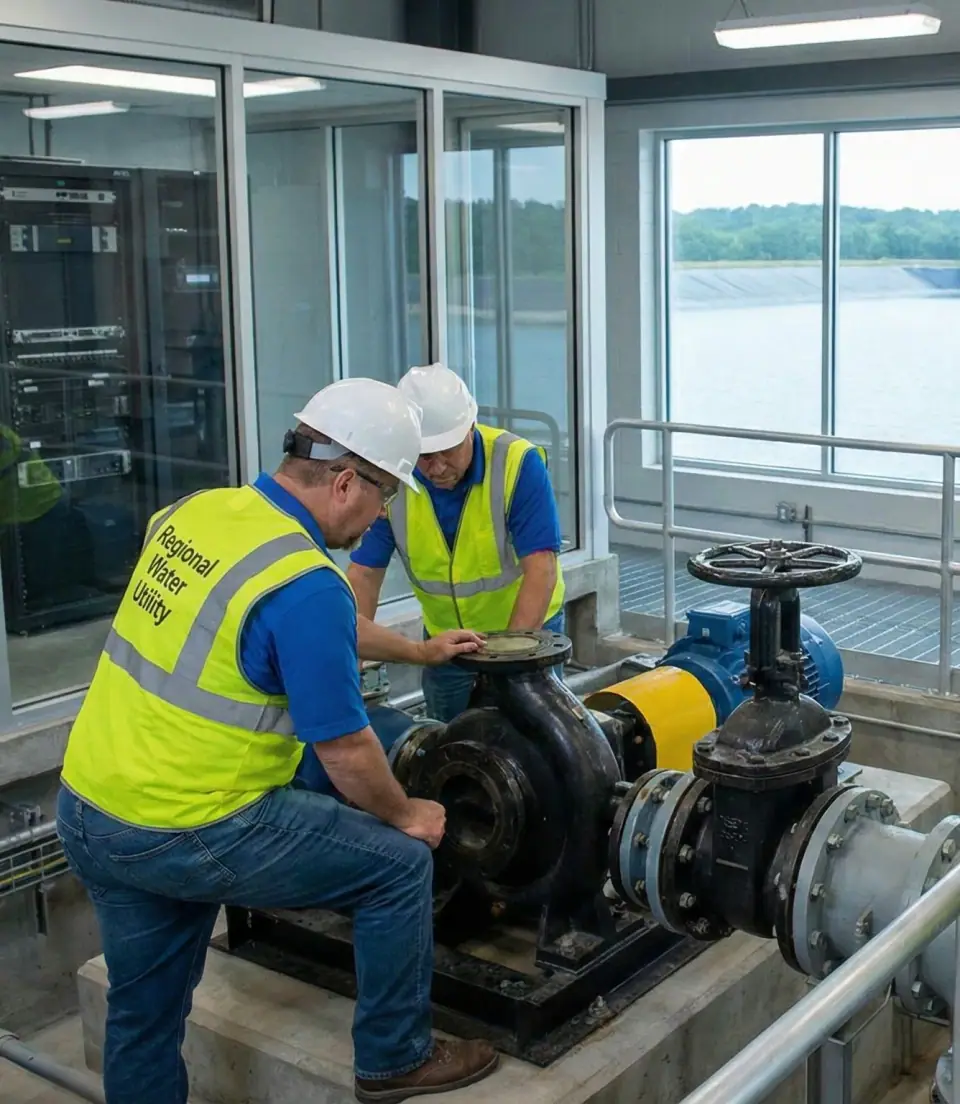 Illustrative
What we did
The engagement as a living map: where the client started, the work Z7 did, and what was delivered and measured.
- challenge in
- Z7 work
- delivered
- measured
Read the engagement
Before on top, Z7's work in the middle, results below: point at a node to light its wiring, click to pin its story here.
VMware Horizon was still on version 7 across two sites with Cloud Pod Architecture, and master images and application volumes were inconsistent.
Long login times were becoming a persistent user complaint, and performance was inconsistent, especially for CAD and virtual workstation use cases.
Many separate golden images and application packages were hard to maintain, and application documentation was incomplete or missing, with poorly understood dependencies.
Dell EMC VxRail, NetWorker, and Data Domain needed a health check and tuning so backup windows and IOPS patterns did not interfere with business hours.
The internal IT team was fully committed to daily operations and had no spare capacity for a full VDI and application modernization.
The utility wanted targeted expertise in a co-managed model, not a complete replacement of its internal staff.
VDI modernization, managed infrastructure, Turbo-based application delivery, and co-managed IT.
Scope: VDI modernization, Application delivery modernization, Managed infrastructure, Onsite help desk, Co-managed IT, vCTO and vCISO advisory.
Z7 upgraded VMware Horizon from version 7 to version 8 for two clusters using Cloud Pod Architecture and ran a comprehensive Horizon and vSphere health analysis. The team tuned the VxRail clusters for CAD and virtual workstation workloads and improved application volumes behavior to reduce profile and launch issues.
Z7 updated legacy master images for Horizon 8, built a new Windows 11 master image as the future workstation baseline, and consolidated about 16 golden images into 4 core images for standard and GPU-backed workloads. Login, profile, and application tuning targeted login delays and session instability, especially for CAD and graphics-intensive workloads.
Under a managed services SOW, Z7 placed a full-time onsite Help Desk Specialist at the main facility, Monday through Friday, and provided remote coverage for VxRail, vSphere, and Horizon VDI. Assisted coverage spanned Carbon Black, NetWorker with CyberSense and Cyber Recovery, and Data Domain, with VMware and Dell escalation and a 24/7 emergency engagement option. A dedicated senior consultant, principal solutions architect, and account executive were assigned to the account.
Z7 partnered with Turbo to deploy the Turbo SaaS portal and Turbo Studio, built base images aligned to the standard and GPU VDI images, and packaged and tested more than 50 applications, including CAD suites, DWG viewers, Foxit, Office, Track-It!, and Laserfiche. The team reverse-engineered undocumented dependencies with users and vendors and wrote more than 20 automation and deployment scripts for repeatable builds.
A hybrid profile design used DEM for application-specific settings and user configuration and FSLogix for profile containers, backed by new GPO structures for DEM and VDI infrastructure. Printer persistence, Num Lock behavior, and application data paths were profiled and adjusted for stability.
Throughout the engagement, Z7 guided VDI architecture and capacity planning, security posture around VDI, backups, and identity, and the future direction for cloud, backup, and app delivery services. That advisory aligned day-to-day technical decisions with risk, budget, and regulatory expectations for a critical infrastructure operator.
The utility moved from a fragile, complex VDI environment to a modern Horizon 8 platform on tuned Dell EMC VxRail that is more stable, easier to maintain, and ready to support its critical mission.
Fewer golden images to patch and test, from about 16 to 4.
Approximate full backup speedup after NetWorker and Data Domain tuning.
Applications delivered through Turbo to about 200 users.
Extra engineering effort absorbed by Z7 at no additional cost.
Golden images consolidated from about 16 to 4 core images for standard and GPU workloads, a 75 percent reduction that lowers the risk of configuration drift and simplifies the rollout of security and feature updates.
Full backup speeds improved approximately 2 to 3 times after NetWorker and Data Domain tuning, shortening backup windows and lowering risk during maintenance and recovery.
More than 50 applications packaged and validated in Turbo now reach about 200 users from a single managed SaaS layer, and more than 20 automation scripts allow consistent rebuilds.
Login times and session stability improved through combined image, storage, profile, and application tuning, with CAD users on optimized GPU-aware images.
More than 40 onsite engineering days, alongside dozens of remote working sessions, a full-time onsite help desk resource, and 24/7 capable remote coverage kept operations stable while modernization proceeded.
Z7 absorbed about 16 weeks of extra effort from scope changes, missing documentation, and environmental blockers with no change orders or extra invoices, roughly four months of senior engineering time at no additional cost.
- challenge in
- Z7 work
- delivered
- measured
Tap a node to read its story.
Step by step
-
Upgrade Horizon and tune VxRail
Z7 upgraded VMware Horizon from version 7 to version 8 for two clusters using Cloud Pod Architecture and ran a comprehensive Horizon and vSphere health analysis. The team tuned the VxRail clusters for CAD and virtual workstation workloads and improved application volumes behavior to reduce profile and launch issues.
-
Rationalize master images
Z7 updated legacy master images for Horizon 8, built a new Windows 11 master image as the future workstation baseline, and consolidated about 16 golden images into 4 core images for standard and GPU-backed workloads. Login, profile, and application tuning targeted login delays and session instability, especially for CAD and graphics-intensive workloads.
-
Add managed infrastructure and help desk
Under a managed services SOW, Z7 placed a full-time onsite Help Desk Specialist at the main facility, Monday through Friday, and provided remote coverage for VxRail, vSphere, and Horizon VDI. Assisted coverage spanned Carbon Black, NetWorker with CyberSense and Cyber Recovery, and Data Domain, with VMware and Dell escalation and a 24/7 emergency engagement option. A dedicated senior consultant, principal solutions architect, and account executive were assigned to the account.
-
Modernize app delivery with Turbo
Z7 partnered with Turbo to deploy the Turbo SaaS portal and Turbo Studio, built base images aligned to the standard and GPU VDI images, and packaged and tested more than 50 applications, including CAD suites, DWG viewers, Foxit, Office, Track-It!, and Laserfiche. The team reverse-engineered undocumented dependencies with users and vendors and wrote more than 20 automation and deployment scripts for repeatable builds.
-
Stabilize profiles with DEM and FSLogix
A hybrid profile design used DEM for application-specific settings and user configuration and FSLogix for profile containers, backed by new GPO structures for DEM and VDI infrastructure. Printer persistence, Num Lock behavior, and application data paths were profiled and adjusted for stability.
-
Advise as vCTO and vCISO
Throughout the engagement, Z7 guided VDI architecture and capacity planning, security posture around VDI, backups, and identity, and the future direction for cloud, backup, and app delivery services. That advisory aligned day-to-day technical decisions with risk, budget, and regulatory expectations for a critical infrastructure operator.

Results
The utility moved from a fragile, complex VDI environment to a modern Horizon 8 platform on tuned Dell EMC VxRail that is more stable, easier to maintain, and ready to support its critical mission.
- 16 golden images down to 4Golden images consolidated from about 16 to 4 core images for standard and GPU workloads, a 75 percent reduction that lowers the risk of configuration drift and simplifies the rollout of security and feature updates.
- Backups about 2 to 3x fasterFull backup speeds improved approximately 2 to 3 times after NetWorker and Data Domain tuning, shortening backup windows and lowering risk during maintenance and recovery.
- 50+ apps on one Turbo layerMore than 50 applications packaged and validated in Turbo now reach about 200 users from a single managed SaaS layer, and more than 20 automation scripts allow consistent rebuilds.
- Faster, steadier loginsLogin times and session stability improved through combined image, storage, profile, and application tuning, with CAD users on optimized GPU-aware images.
- 40+ onsite engineering daysMore than 40 onsite engineering days, alongside dozens of remote working sessions, a full-time onsite help desk resource, and 24/7 capable remote coverage kept operations stable while modernization proceeded.
- 16 weeks absorbed, no invoiceZ7 absorbed about 16 weeks of extra effort from scope changes, missing documentation, and environmental blockers with no change orders or extra invoices, roughly four months of senior engineering time at no additional cost.
 Illustrative
Technology
- VMware Horizon 8
- VMware Cloud Pod Architecture
- VMware vSphere
- App Volumes
- Dell EMC VxRail
- Carbon Black
- Dell EMC NetWorker
- CyberSense
- Cyber Recovery
- Data Domain
- Turbo SaaS portal
- Turbo Studio
- DEM
- FSLogix
- Windows 11
- Foxit
- Track-It!
- Laserfiche
More case studies
All case studies- GOV-01Government phase 1
Part 1 of 2
State agency stabilizes VDI after a failed migration
Logins got roughly 48% to 60% faster and session crashes fell over 80%.
- 48% to 60% Faster logins after GPO cleanup
- 80%+ Fewer session crashes and disconnects
- VDI stabilization
- Citrix retirement
- Directory and policy cleanup
- GOV-02Government phase 2
Part 2 of 2
State agency modernizes Horizon VDI on Azure
Recurring issue categories fell roughly 30% to 50% over 24 months.
- 20 to 30% Faster logons, approximate
- 25 to 40% Fewer FSLogix pool issues, approximate
- VDI modernization
- Cloud migration
- Hybrid work enablement
Want results like these?
Start with a conversation. We will tell you what applies to your environment and what does not.